so i tryed the wiiconnect24 dns setting and when i click user agrements and waited for internet it said Unable to connect to the Internet. [error code 220602] wii friend code in img
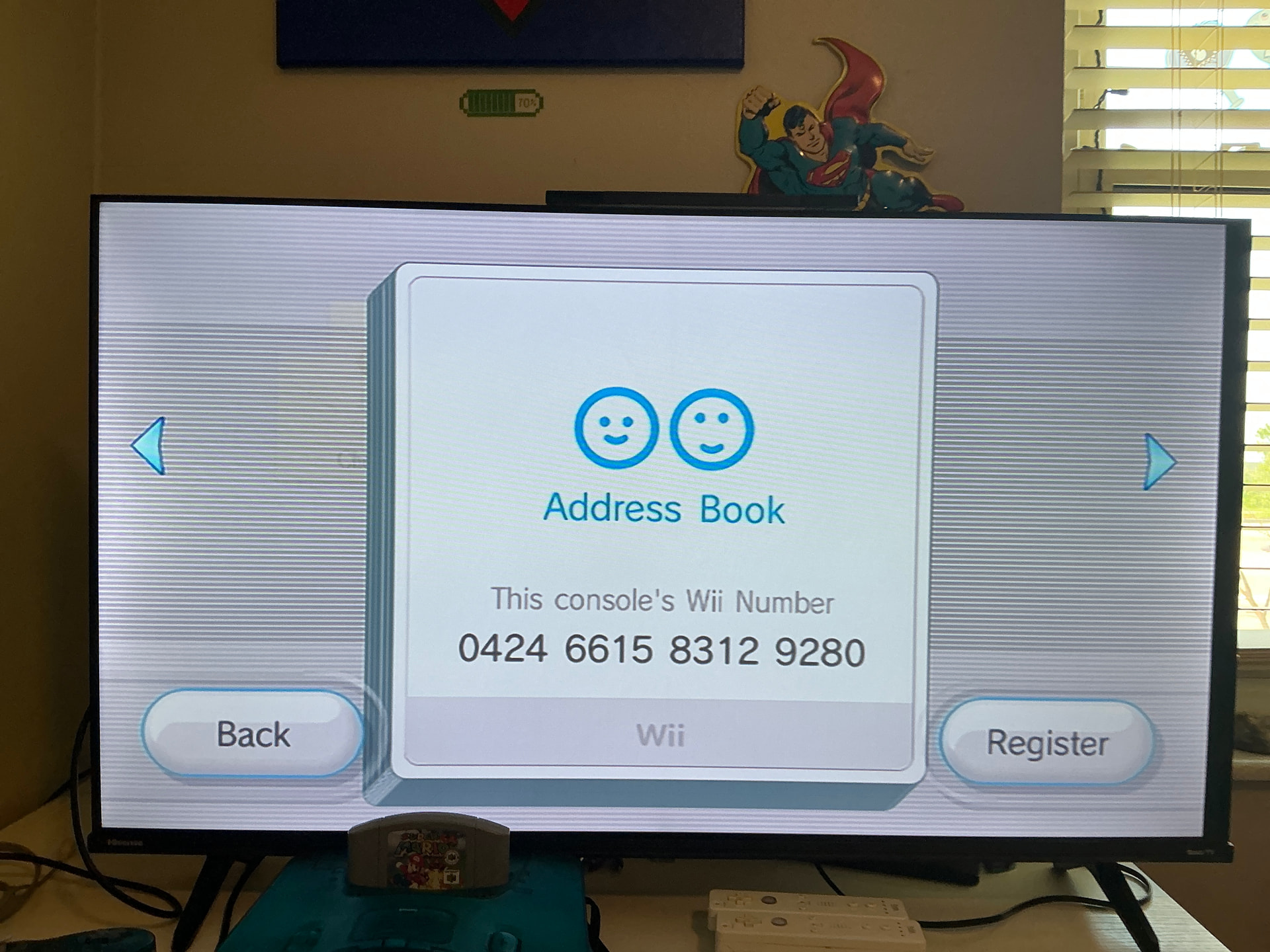
I added ya mines 5675 5760 9059 5007
WiiLink DNS isn’t enough, u need to follow WiiLink - Guide (Installation guide)
If you tried but failed, there’s a problem with the connection you’re using or with the DNS you have put, or you’ve just put the DNS and haven’t accepted the EULA. The primary DNS is 167.235.229.36, while the secondary is 1.1.1.1. Save the settings, and then, to activate Wiilink, you must go to Wii options  Wii System Settings Wii System Settings 2 Internet Agreement/Contact and then accept the EULA (you must download the Wiilink EULA wad, otherwise it will show the Nintendo one). After you accept the EULA, you now are connected. Also, to make the Wii message board work, you shall use the Wiilink Mail Patcher. With the message board patched and ready to work, you can actually message not only Wii registered friends, but also to your phone if you try to register your email in your friends (your phone will get a message and you’ll start to communicate with your Wii). Hope this helped you. My Wii number is 6579392667438693.
I also want to give you a message, even though it’s not about the Wii, where it is shown God’s love for us by his son
John 3:16–17
¹⁶ For God so loved the world that he gave his one and only Son, that whoever believes in him shall not perish but have eternal life.
¹⁷ For God did not send his Son into the world to condemn the world, but to save the world through him.
Yeah, exactly. Only putting the DNS will not work. I’ve practically put all the guide in a message 
ah yes the error is a DNS error, but u don’t need to install wiilink DNS, only if u are on wii u which doesn’t have it installed, but on normal wii it is already installed, which is why the wiilink patcher doesn’t give u the EULA if u choosed wii option.
I forgot this… One curiousity is it works even on times I don’t put the DNS  (obviously after I accept Wiiconnect24 settings
DNS isn’t necessary
Really, I always had it on the Wii U settings just to be sure. Atleast during rc24 times it was like that.
In fact I only put it again only after I update the channels
I fixed it. I’ll tell you about it in my reply later cause I have to go somewhere.